


 SMS Tracker
  Phone Call Tracker
  WhatsApp Tracker
  Browser History
  Phone Location Tracker
  Call Recorder
  Keylogger for Windows


MoniMaster Support: Monitor devices with others' permission.
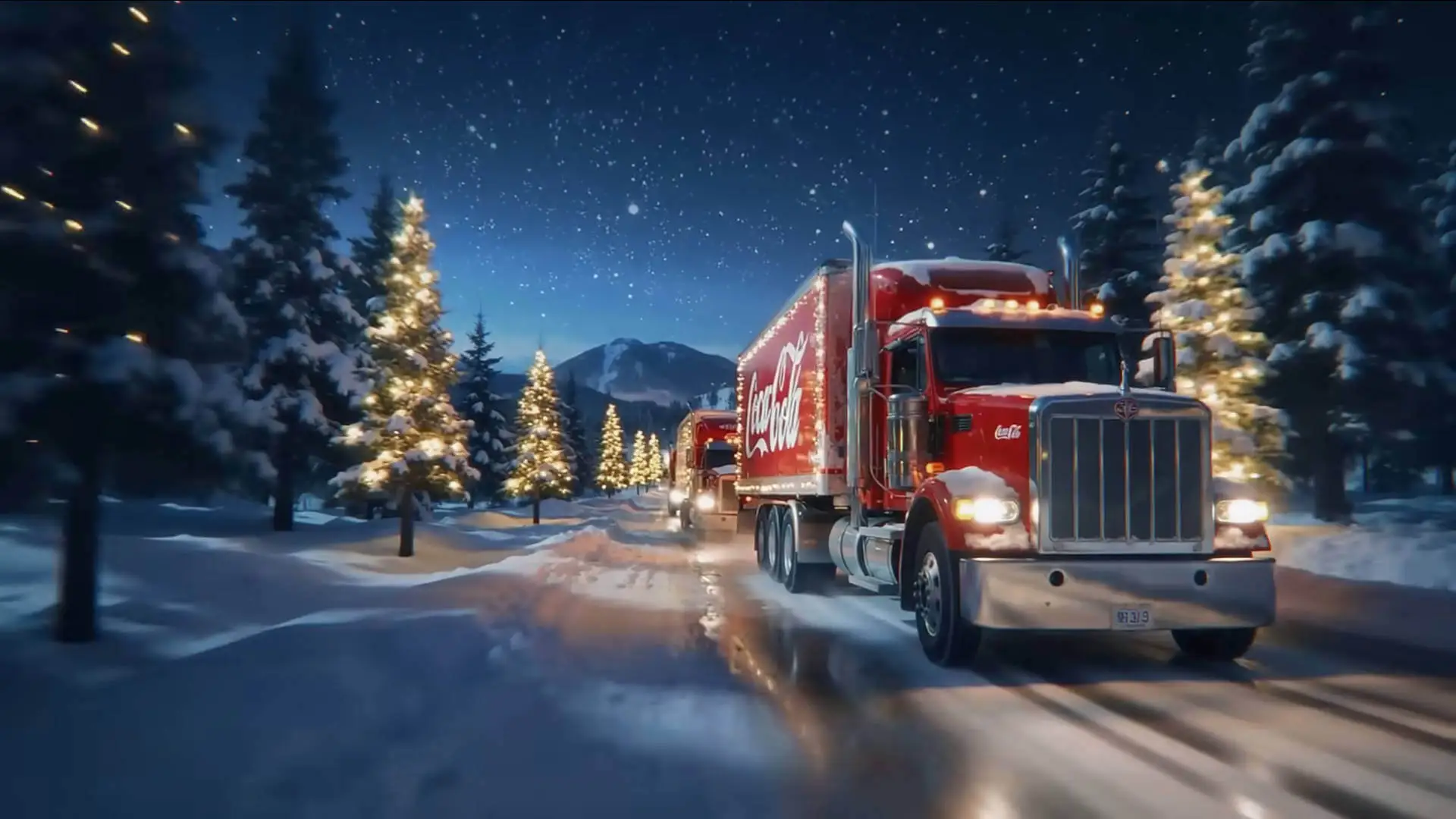
Snow is falling, lights are glowing, and once again, Coca-Cola has kicked off the holiday season with its 2025 Christmas ad campaign. This year, what really caught everyone’s attention wasn’t just the holiday spirit—it was the buzz around the Coca-Cola AI-generated Christmas ad.
In a behind-the-scenes video shared on Coca-Cola’s YouTube channel, the brand revealed that just five AI specialists refined nearly 70,000 video clips over 30 days to produce the final ad, using tools like OpenAI’s Sora, Google’s Veo 3, and Luma AI. The real takeaway? You don’t need a massive team or budget to make a cinematic Christmas video anymore. With today’s AI, anyone can create festive, shareable, and personal holiday videos even promotion video —faster and easier than ever.
You can watch the official Coca-Cola AI Christmas ad here:
- Make a Viral AI Christmas Video Without a Coca-Cola-Level Budget
- How to Create Coca-Cola-Style AI Christmas Video?
Make a Viral AI Christmas Video Without a Coca-Cola-Level Budget
If the Coca-Cola AI generated Christmas ad inspired you, MoniMaster Video gives you everything you need to bring your own holiday ideas to life as a Christmas video.
MoniMaster Video is a comprehensive AI video generation platform that combines multiple powerful AI models in one place, making Christmas video creation simple and fun.
- Generate AI Christmas videos from text, images, or guided prompts
- Create cinematic, cozy, or humorous holiday scenes in minutes
- Use advanced AI video models similar to VEO 3, Sora and more
- Customize outfits, expressions, camera movement, and festive effects.
- Produce videos ready to share on TikTok, Instagram, YouTube Shorts, and X
Whether you want something heartfelt or hilarious, MoniMaster Video gives you creative freedom without technical complexity.
Make AI Generated Video
Secure Visit
How to Create Coca-Cola-Style AI Christmas Video?
With MoniMaster Video, you don’t need a massive production team or budget to create a cinematic, festive Christmas video. Here are three easy ways to get started.

Method 1: From Image to Video
Turn a single image into a Coca-Cola-style Christmas video with motion and holiday vibes.
Step 1.Go to AI Image to Video function. Upload the image you want to turn into a Christmas video.

Step 2.Input a Christmas-themed text prompt (snowfall, warm lights, cozy atmosphere, cinematic motion), choose your settings, then click “Create”.

Step 3.Review the Christmas video generated by MoniMaster Video and refine it as needed.
Method 2: From Text to Video
Prefer starting from scratch? Create a Coca-Cola-inspired Christmas video using only text.
Step 1.Open AI Text to Video function of MoniMaster Video.

Step 2.Input your Christmas video prompt. Adjust advanced settings such as video size, resolution, and duration. Click “Generate”.

Step 3.Review the AI-generated Christmas video and revise the prompt for better Christmas video result.
Method 3: With Fixed Christmas Video Effects
Rather than thinking the text prompt to generated Christmas videos like Coca Cola AI generated Christmas advertisement video, MoniMaster Video also provides several fixed Christmas video effects.
Step 1.Go to AI Video Effects of MoniMaster Video. And select “Christmas” category.
Step 2.Choose a Christmas videos effects, upload your image and click “Create”.

Step 3.Check and share the AI-generated Christmas video.
These methods let you create festive, cinematic Christmas videos that feel just as polished as Coca-Cola’s AI Christmas ad — without the brand-level budget.
This Christmas, Don’t Just Watch the Ads
The success of the Coca-Cola AI Christmas ad proves one thing: AI has changed how holiday videos are made. But the real magic happens when everyday creators use AI to tell their own stories.
With MoniMaster Video, you’re not just watching AI creativity—you’re part of it. This holiday season, create a Christmas video that’s more creative, more personal, or even funnier than the big brands.
Create AI Christmas Story Now
Secure Visit





