


 SMS Tracker
  Phone Call Tracker
  WhatsApp Tracker
  Browser History
  Phone Location Tracker
  Call Recorder
  Keylogger for Windows


MoniMaster Support: Monitor devices with others' permission.
Scroll through TikTok or Instagram reels, and you’ll find hilarious videos of animals talking, adorable pets, animal fusions, or other similar videos. Cat and dog videos were already popular, but with AI making them easier to create, and considering their viral nature, creators now create more animal videos. No real animals, litter, or a camera is needed. If you are wondering how to make AI animal videos for your social media or to surprise your friends, this is the right place.
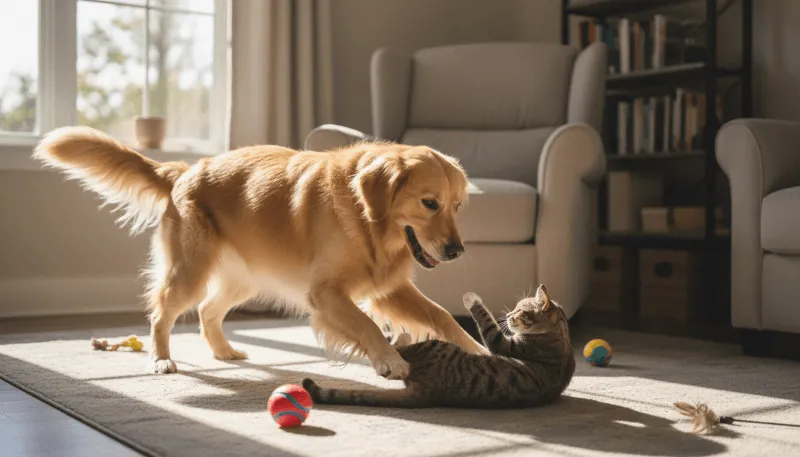
This article details why this type of content trends on social media. You’ll also learn how creators make viral content using easy-to-use yet powerful software, so let’s start.
- Part 1. How to Transform My Pet Picture to a Human With GPT
- Part 2. Best Pet to Human AI Video Generator
Part 1. Why is AI Animal Video so Popular Today?
AI-generated animal videos are trending online, as one doesn’t need advanced editing skills to create professional videos. Also, photorealistic animals, imagined species, or “cute” interactions in animal videos can add a viral element. People engage with these videos and share them with their friends on social media. So, here’s a detail into why it’s so popular today:
Easy and Scalable Content: Artificial Intelligence has made video creation simple and scalable. Now, creators don’t need real animals, cameras, or locations. Just a single prompt, and you can create multiple variations of a video. This allows you to scale your content, posting a video daily and even many in a day.
Hybrid and Fusion Videos: The best AI animal video creators can create hybrid or fusion videos that combine animals and humans. For example: a shark with a dinosaur, a lion with a snake, a dog with a human, or similar pairings. AI and art enthusiasts may interact with these creations and expand their reach.
Perfect for Storytelling and Trends: By understanding how to make AI animal videos free, you can visualize the “what if” scenarios that might seem impossible in real life. For example, what if a hamster becomes an astronaut, or a duck rescues a kitten from a crocodile, and more. These heartwarming stories can engage the audience, helping the videos go viral.
Educational Content: Many creators use AI to generate short, engaging animal animations for social media platforms such as TikTok, Instagram, and YouTube Shorts, as well as for educational purposes. As kids are naturally drawn to bright colors and fun characters, these videos can help keep them engaged and better understand complex concepts.
Part 2. How to Make an AI Animal Video Online and Free?
If you’re ready to create your first AI animal video, it’s critical to select the right AI video generator tool. You need a tool that is easy to use and offers powerful features to help you take your imagination and creativity to new heights.

Try It Free
Secure Visit
MoniMaster Video ticks all the boxes with its intuitive interface, a range of features, and a broad library of AI video effects. It supports text-to-video, image-to-video, and video-to-video features. Alongside, MoniMaster Video integrates AI models such as Veo 3, Sora 2, PixVerse, Hailuo, Vidu, and Wan to cover most of your video creation needs. You can animate your pet’s photo, select from the available animal filters, or write a detailed prompt to generate a realistic output.
MoniMaster Video provides every new user with 20 free AI credits to try the features and create their first video.
Method #1. Use Text-to-Video Feature
The text-to-video method requires writing a detailed prompt describing what you want the animal to do in the video. MoniMaster Video makes prompt writing much simpler with an “Improve your Description” feature. Here’s how to make an AI cat video, dog video, or more using MoniMaster Video’s text-to-video feature:
Step 1.Head over to MoniMaster Video’s text-to-video option on the left menu panel or the top row.

Step 2.Select your preferred AI model from the dropdown menu on the list of available AI models.

Step 3.Now, write a descriptive prompt that describes what the animal will do in the video. For example, “A cat is playfully battling a soft, woolen ball across the floor with boundless energy and innocent curiosity.”
Then select the video size, duration, and quality, and click Create to generate the AI animal video using MoniMaster Video.

Step 4.MoniMaster Video takes a few seconds to generate the video. Once done, preview it, and tap Download to save the video.
Then select the video size, duration, and quality, and click Create to generate the AI animal video using MoniMaster Video.

Method #2: Use Image-to-Video Feature
If you want to animate the picture of your cat or dog, then use MoniMaster Video’s image-to-video feature. The process is simple, and here are the steps to follow:
Step 1.Access the Image to Video option on MoniMaster Video’s dashboard to open up the video generation window.
Step 2.Tap Click to upload and select the animal’s image you want to animate. It takes a few seconds to complete the upload process.

Step 3.Write a detailed prompt in the text box under the Prompt section, select the Video Quality, and click Create. For example, you can write something like, “Make the cat run across the field, where each leap shows freedom and happiness.”

Step 4.As MoniMaster Video generates a video, tap Download to save and share it with your friends or upload it to social media.

Method #3: Using Video Filters
MoniMaster Video offers plenty of AI video effects that you can try to create your animal video. Unlike the previous methods, you don’t need to input a prompt here. Here are the steps you must follow:
Step 1.Click the Video Effects option on the left menu panel of the MoniMaster Video dashboard.
Step 2.Scroll through the available filters, select the animal filter you prefer, and click it.

Step 3.Now, tap Click to Upload to upload the animal’s image, followed by Create.

Step 4.After MoniMaster Video generates a video, click Download to save it.

Conclusion
Now that you know how to make AI animal videos, you can create your first viral content. Tell stories about a fictional creature or make an animal do impossible things. The AI tools can help bring any animal to life. MoniMaster Video stands out as the simplest and one of the most powerful tools to bring your vision to life. Most importantly, the outputs are professional. So, stop imagining and start creating your first AI animal video using MoniMaster Video for free.
Try It Free
Secure Visit





